
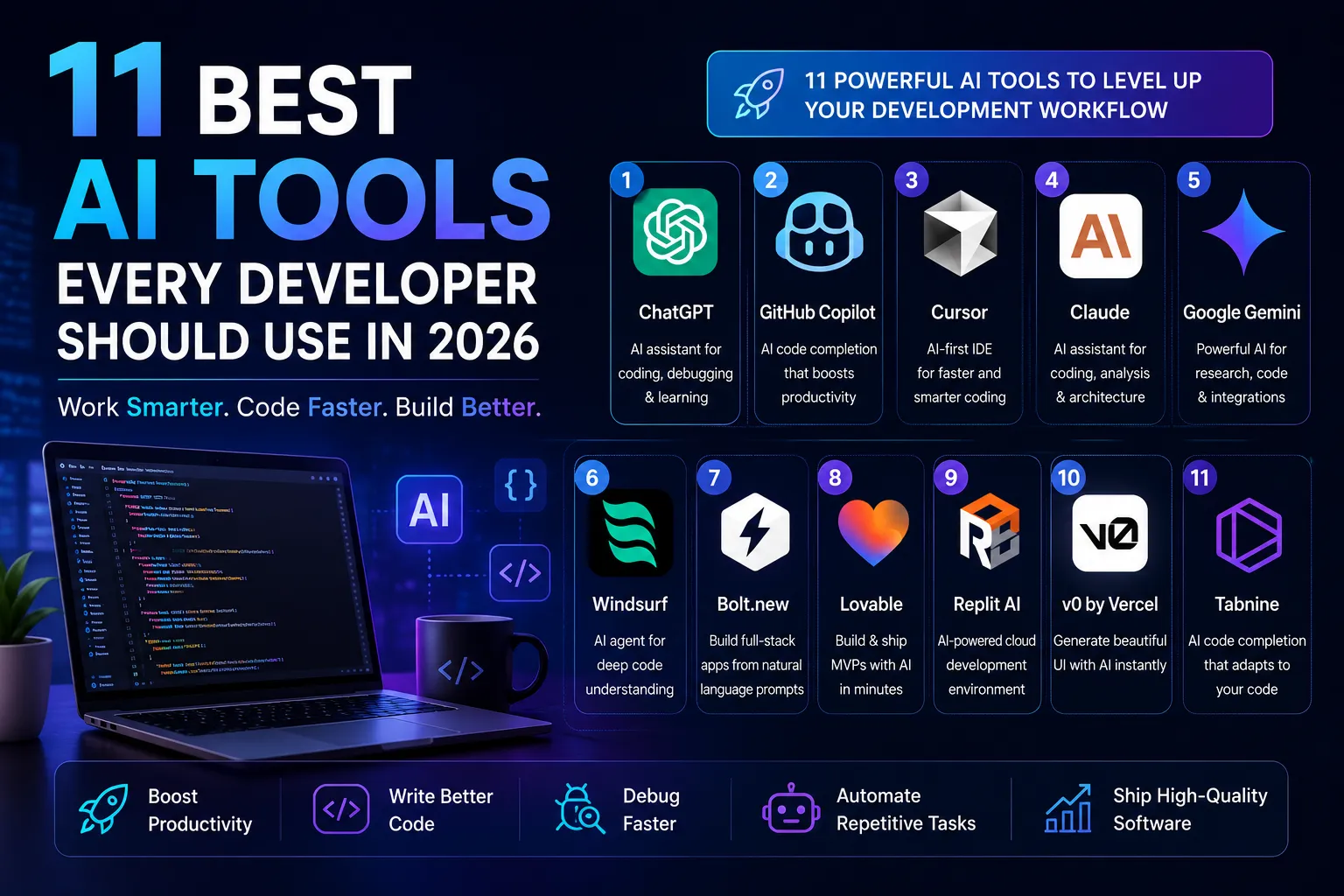
Artificial Intelligence has become an indispensable part of modern software development. Whether you’re building web applications, mobile apps, APIs, or enterprise software, AI-powered tools can help you write cleaner code, debug faster, automate repetitive tasks, and improve overall productivity.
Developers today are no longer limited to traditional IDEs and documentation. AI assistants can explain complex code, generate entire components, optimize database queries, create documentation, and even help with system architecture.
In this guide, we’ll explore the 11 best AI tools for developers in 2026, their strengths, and how they can improve your workflow.
Why Developers Should Use AI Tools
Software development involves much more than writing code. Developers spend significant time reading documentation, debugging issues, reviewing pull requests, writing tests, and creating technical documentation.
AI tools reduce repetitive work while allowing developers to focus on solving business problems.
Some key benefits include:
- Faster development
- Better code quality
- Reduced debugging time
- Improved productivity
- Easier learning of new technologies
- Faster documentation
- Automated testing assistance
The goal isn’t to replace developers—it’s to make them more efficient.
1. ChatGPT
ChatGPT has become one of the most popular AI assistants for developers.
It can help with:
- Writing code
- Debugging errors
- Explaining programming concepts
- Generating SQL queries
- Creating API documentation
- Learning new frameworks
- Refactoring existing code
Whether you’re working with React, Node.js, Python, Java, or PHP, ChatGPT can significantly reduce development time.
2. GitHub Copilot
GitHub Copilot integrates directly into popular IDEs like Visual Studio Code and JetBrains products.
Its features include:
- Smart code completion
- Function generation
- Unit test creation
- Documentation generation
- Code suggestions
It’s particularly useful for repetitive coding tasks and learning unfamiliar APIs.
3. Cursor AI
Cursor AI is a modern AI-powered code editor built for developers.
Key features:
- AI chat within the editor
- Multi-file code editing
- Intelligent refactoring
- Project-wide understanding
- Fast debugging
Cursor has become a favorite among developers building AI applications.
4. Claude
Claude excels at understanding large codebases.
Developers use it for:
- Architecture discussions
- Code reviews
- Documentation
- Long technical conversations
- Refactoring
Its ability to process extensive context makes it valuable for enterprise projects.
5. Google Gemini
Gemini integrates well with Google’s ecosystem and supports various programming tasks.
It assists with:
- JavaScript
- Python
- Android development
- Cloud applications
- API integrations
6. Windsurf
Windsurf focuses on creating a collaborative AI development environment.
It helps developers:
- Navigate projects
- Generate code
- Explain files
- Refactor applications
7. Bolt.new
Bolt.new enables developers to build full-stack applications from natural language prompts.
It can generate:
- React applications
- Backend APIs
- Authentication systems
- Database integrations
This makes it ideal for rapid prototyping.
8. Lovable
Lovable specializes in turning ideas into functional web applications.
Developers can:
- Build MVPs
- Generate UI
- Connect databases
- Create responsive layouts
9. Replit AI
Replit AI simplifies cloud-based development by providing AI-assisted coding directly in the browser.
Its features include:
- Instant coding
- Collaboration
- Deployment
- AI assistance
- Project generation
10. v0 by Vercel
v0 generates modern React and Next.js user interfaces from text prompts.
It helps developers create:
- Landing pages
- Dashboards
- Forms
- Admin panels
- Responsive components
11. Continue.dev
Continue is an open-source AI coding assistant that integrates with Visual Studio Code.
It supports multiple AI models and allows developers to customize their workflows.
How to Choose the Right AI Tool
When selecting an AI development tool, consider:
- Programming languages you use
- IDE compatibility
- Privacy requirements
- Team collaboration features
- Cost
- Model quality
- Integration capabilities
No single tool is perfect. Many developers combine tools like ChatGPT, GitHub Copilot, and Cursor AI to maximize productivity.
Best AI Tool Stack for Full-Stack Developers
A practical setup could include:
- Cursor AI for coding and refactoring
- GitHub Copilot for code completion
- ChatGPT for debugging and explanations
- v0 for UI generation
- Mintlify for documentation
- GitHub Actions for CI/CD automation
This combination supports everything from coding to deployment.
Frequently Asked Questions
ChatGPT is an excellent starting point because it explains concepts, helps debug code, and supports many programming languages.
No. AI enhances developer productivity but still relies on human expertise for architecture, decision-making, and solving complex business problems.
Yes, but developers should always review AI-generated code for correctness, security, and performance before deploying it to production.
Cursor AI, GitHub Copilot, and v0 by Vercel are popular choices for building React and Next.js applications.
